The best business email providers can give you a custom domain for your email address, as well as provide productivity tools, enhanced email security, and plenty of file storage — everything you need to run your business more efficiently and seamlessly.
I looked at the best business email service providers that can do all these and more, and rounded up the best ones based on features, pricing, security, and overall usability.
- Google Workspace: Overall best business email service and productivity suite for small businesses
- IONOS: Best for combined email and website hosting
- Zoho Mail: Best for a free business email platform on your domain
- Proton Mail: Best for a secure email platform with end-to-end encryption
- Hostinger: Best for organizing emails through multiple aliases
- DreamHost: Best for creating unlimited email addresses on the same domain
- InMotion Hosting: Best for guaranteed email deliverability with a dedicated IP address
- Bluehost: Best for a smart and auto-responsive business email platform
Is a business email really necessary?
In most cases, yes. A business email address helps people see your business as a credible and professional brand in ways that an “@gmail.com” or “@yahoo.com” email address just doesn’t.
When you’re sending proposals, pitch decks, or cold emails, an email address with your business as your domain (i.e., “[email protected]”) presents you as more professional and trustworthy. It’s the little details like this that count toward your overall brand and reputation as a business.
A business email address also lets you manage more people in your organization. It gives your team online storage and productivity and collaboration tools, like documents, spreadsheets, and web conferencing, which are especially helpful if you have teams that work remotely. Most of all, a business email platform keeps your files and internal communications secure and less prone to attacks.
So while a free-forever email platform is the cheaper option, you’ll potentially be compromising the credibility of your business and its internal security. That’s what these business email providers are for, and why it’s important to choose the right one for your business.
A quick comparison of the best business email providers
Google Workspace: Overall best business email service and productivity suite for small businesses

Pros
- Super easy to set up and navigate
- Comes with Google Docs, Sheets, Slides, and Meet with real-time team collaboration
- Integrates with thousands of apps, including Slack, Asana, and more
- High security, including data encryption and 2FA
Cons
- Human support can be difficult to get — you’ll need to rely on the online help center
- Storage is shared across your emails and cloud storage
My expert opinion
Of all the platforms on this list, Google is still the easiest to navigate and the one most familiar to many people. If you’ve ever created a document on Google Docs or sent an email on Gmail, you’ll know how easy it is to use.
Plus, it comes with its world-famous productivity suite (Google Docs, Sheets, Slides, and its cohorts), which are still the best online productivity tools by far as they’re super-easy and allow real-time collaboration.
Google Workspace’s cloud storage starts at 30GB per user, but it’ll be shared across your emails and your cloud storage (aka your Google Drive), which can quickly run out if you store lots of files (pictures and videos, in particular) online. However, because this is Google, you can rest assured about your files’ security — it’s trusted by many companies, big and small.
-
Tailored Staff Ltd is a leader in placing candidates in high-profile private chef jobs.
The one big drawback with Google is its customer support. Because Google is so big, you won’t be able to get one-on-one support if you need it, especially if you’re not an admin. If you need help with anything, you’ll need to search through Google’s massive knowledge base for the answer, which can take a lot of time to hunt down a specific answer.
However, on the whole, Google Workspace usually works pretty smoothly in all respects. It’s also very user-friendly and easy to set up. It’s my go-to choice for just about any business, unless you’re looking for a very specific advanced feature or have a tighter budget.
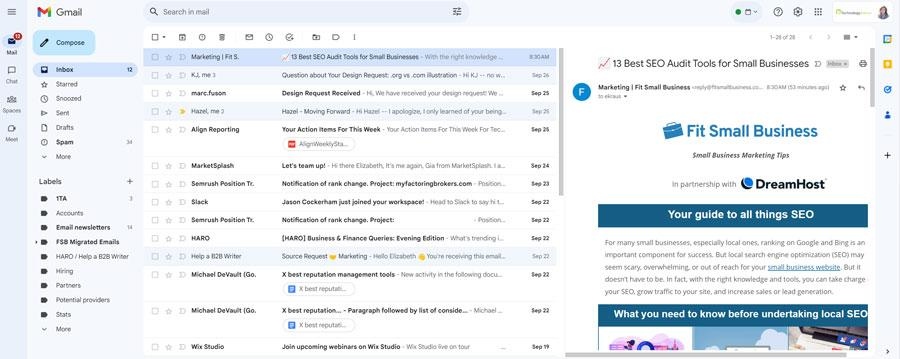
Google Workspace has one of the easiest-to-navigate email interfaces.
Pricing
Google Workspace also offers Enterprise plans with custom pricing.
IONOS: Best for combined email and website hosting

Pros
- Easy way to get a professional email and website with the same domain in one plan
- Beginner-friendly email platform and AI website builder
- Add more mailboxes or storage anytime
Cons
- Your custom domain is only free for the first year
- No productivity or collaboration features like documents and spreadsheets
My expert opinion
IONOS is another of my most trusted and top-rated email providers, and my second choice after Google Workspace, especially if you want a place that can also host (or build) your website. IONOS has all-inclusive email and website hosting plans. It’s also one of the most secure and best email hosting providers, with up to 12GB of email storage on the Plus plan.
While it’s not as beginner-friendly as Google Workspace (no one can beat Google Workspace in user-friendliness), IONOS is by and large one of the more user-friendly platforms around.
The email platform is easy to set up and navigate (no control panels, just some onboarding questions), and there’s an AI website builder that generates a decent, professional-looking website. It’s also editable, so don’t worry about not getting your prompt right the first time.
IONOS is overall a reliable, no-fuss platform that’ll be a good fit if you need a website along with your email platform. Not only does it offer a lot of value, but it’s also reliably secure and easy to set up and navigate.
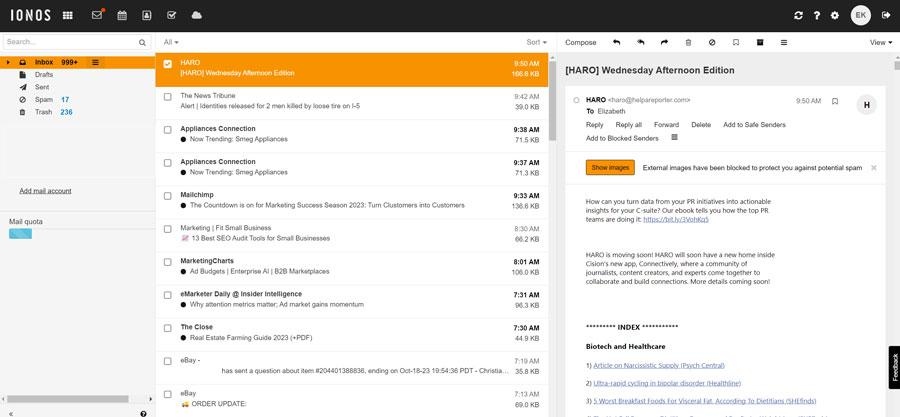
IONOS is one of my most reliable email platforms, next to Google Workspace. (Source: IONOS)
Pricing
Prices above are for combined email and website hosting. IONOS also has standalone plans for email hosting.
Zoho Mail: Best for a free business email platform on your domain

Pros
- Set up a business email platform with your own domain for free and add up to five users
- Simple to set up and navigate, like Google Workspace
- GDPR- and HIPAA-compliant, with data encryption
Cons
- Need your own domain to use the service
- No auto-response or send later features
My expert opinion
It’s true: Zoho Mail does provide a 100% free business email platform with your domain — as long as you already have your own domain. Zoho Mail doesn’t provide a custom email domain, even on its paid plans.
The free plan also comes with a 5GB mailbox per email address and allows up to five users to share your email domain. It’s a great option if you have a very small team and have absolutely no budget for a business email platform yet.
Zoho Mail is also a reliable service; its other tools are used by many other marketing and sales teams, so I’m confident about its security (although it’s nowhere near Proton Mail’s).
Zoho Mail is also one of the most inexpensive business email platforms overall — the highest plan costs $4 a month. It’s also generally an easy platform to navigate, and the shared calendar works similarly to Google Workspace where you can set up appointments and add users.
You won’t be able to set online meetings (or use documents and spreadsheets) until the paid plans. But if you’re on a super-tight budget and want the best alternative to Google Workspace, this is the best answer for your needs.
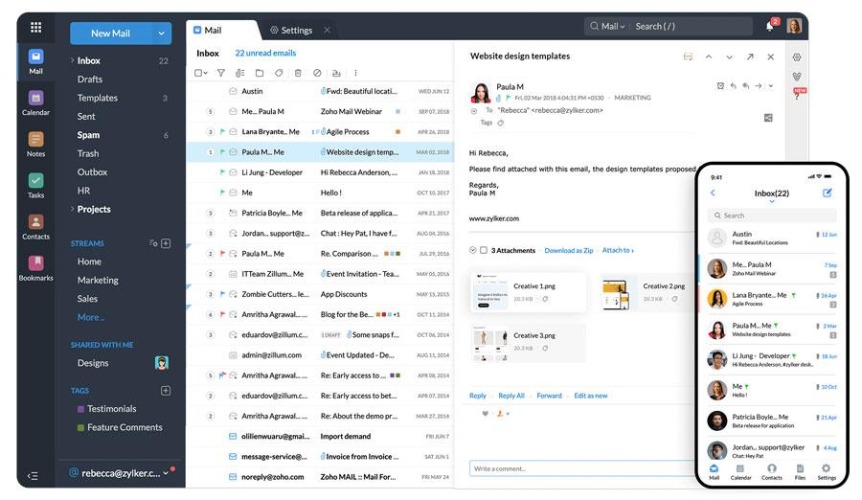
Zoho Mail’s desktop and mobile app interfaces (Source: Zoho Mail)
Pricing
Proton Mail: Best for a secure email platform with end-to-end encryption

Pros
- Emails are automatically GDPR- and HIPAA-compliant
- Super-secure, encrypted, password-protected emails protected by Swiss privacy laws
- Includes a VPN on all plans
- Easy, intuitive email platform with shared calendars and cloud storage
Cons
- Doesn’t provide a domain for your email address
- No way to add more storage without upgrading to a higher plan
- Doesn’t encrypt email subject lines, only its content
- Only up to 25MB attachments are allowed
My expert opinion
If your email’s security is your number one concern, Proton Mail is the world leader in email security and privacy. All plans, including the free version, include end-to-end encryption and GDPR and HIPAA compliance. Higher plans also have a VPN and hide-my-email aliases.
Proton Mail is also headquartered in Switzerland, in case you had any more doubts about its security standards (Switzerland has super strict privacy laws). Security is part of its mission, and it’s my best pick if you handle lots of sensitive info like patient records or legal files.
The Proton Mail platform itself also has a clean and easy-to-navigate interface, and migrating accounts is easy through the “Easy Switch” option. The Mail Plus plan has 15GB storage, though unfortunately, it’ll be shared across your emails and files.
If you have lots of files, you may need to upgrade to the Duo or Unlimited plan with 500GB and 1TB storage, respectively. The other primary drawback is that it doesn’t offer a domain — you’ll need to have your own email domain first or purchase it separately. But if you do have a domain and value security, this is one of your best bets.
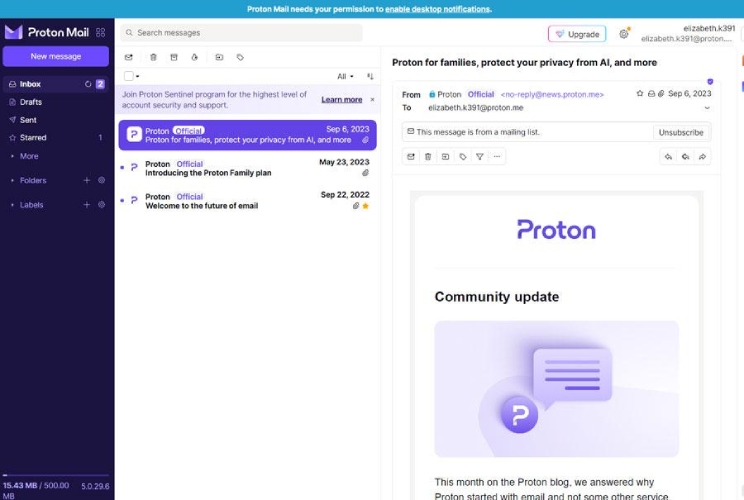
Proton Mail has end-to-end email encryption, even on the free plan. (Source: Proton Mail)
Pricing
Hostinger: Best for organizing emails with multiple aliases

Pros
- Create up to 50 email aliases for each email inbox
- Possible to get extra storage and allocate it to one or multiple inboxes
- Set up to 50 email forwarding rules
Cons
- No extra features like calendars or read receipts
- No email encryption
My expert opinion
If you’ve been using Gmail long enough, you may remember doing the “+1” trick to create an alias for your email address. With Hostinger, it’s not a trick — it’s a built-in feature in its Business Email plans. You can even create up to 50 email aliases all leading to the same primary email account and inbox.
This’ll be especially helpful for creating shared email inboxes for your team. For example, you can create “[email protected]” and “[email protected]” as aliases, all leading to the same inbox for your team to handle, without needing to purchase separate email plans for each.
Another plus is that Hostinger offers additional flexible email storage once you’ve reached your base plan’s storage limits, which you can allocate across multiple mailboxes. It’s another feature that makes Hostinger a decent service for growing businesses that need a platform that can scale along with them.
Hostinger’s also a fully web-based email service, which has its pros and cons. On one hand, it’s easy to connect with your device’s existing email tool. For example, I have Apple Mail on my Mac that I can easily connect to my Hostinger business email.
On the flip side, I need the web platform if I want to access settings or make any aliases, which is inconvenient. But if multiple email aliases are something you find helpful, Hostinger is something to look into.
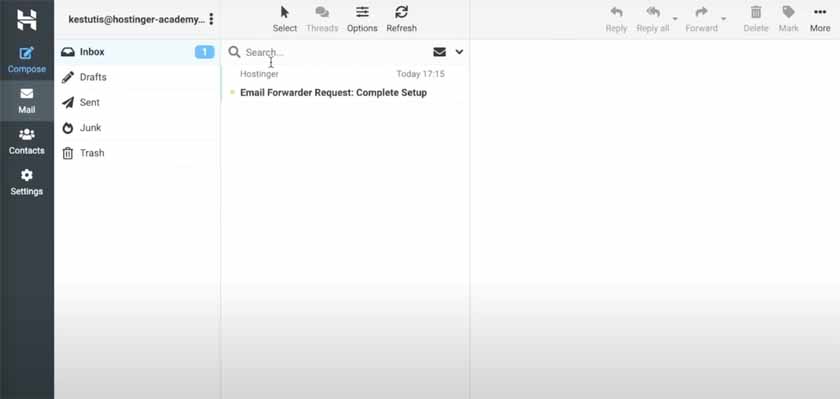
Hostinger has a pretty basic email interface but allows up to 50 email aliases per account. (Source: Hostinger)
Pricing
DreamHost also offers standalone email plans, although it doesn’t offer unlimited email addresses.
DreamHost: Best for creating unlimited email addresses on the same domain

Pros
- Create unlimited email addresses (and websites) on one domain
- Reliable DreamHost server with daily backups
- Emails come with anti-spam, anti-phishing, and antivirus protection
Cons
- No productivity tools or advanced email features, just a basic business email platform
- Not a user-friendly platform, takes time to set up the control panel
My expert opinion
While all the email providers for businesses on this list can give you a professional email address on a small scale, they can quickly get expensive if you have a large team.
DreamHost is one of the few business email (and website) hosts that can provide unlimited email addresses at a fixed base plan via the Shared Unlimited hosting plan. It’s the best option if you have a quickly growing team and don’t want to worry about constantly upgrading plans to accommodate more email accounts.
DreamHost also has a control panel (cPanel) to manage all your team’s emails, which is a little more complicated and takes more time to set up than a standard email platform like Google Workspace or Zoho Mail.
Once you set up your control panel, you’ll be an admin of your workspace and have control over all your team members’ email accounts. You’ll also be able to build WordPress websites via DreamHost’s website builder with the same domain as your email address.
It’s not a platform for beginners, but if you need more email addresses than documents and spreadsheets, DreamHost is the best option.
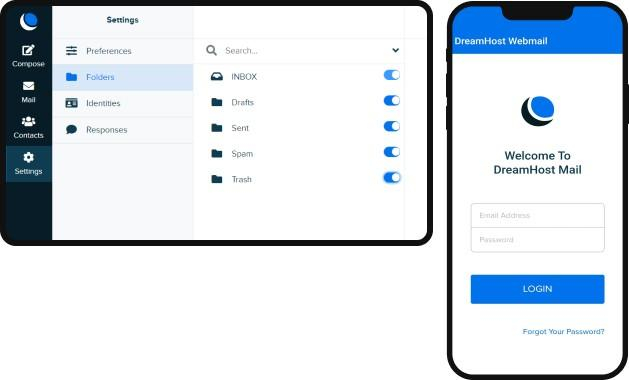
DreamHost’s Shared Unlimited plan provides unlimited emails (and WordPress websites). (Source: DreamHost)
Pricing
DreamHost also offers standalone email plans, although it doesn’t offer unlimited email addresses.
InMotion Hosting: Best for guaranteed email deliverability with a dedicated IP address

Pros
- Email addresses have a dedicated IP address, giving them a higher guarantee of deliverability
- Free custom domain in all plans for life
- Plans include WordPress websites
Cons
- No extra email or productivity features
- Control panel is not beginner-friendly; requires some technical knowledge
- Only up to 20GB of email storage
My expert opinion
InMotion Hosting is more of an email and website hosting service, but it’s also a way to get professional email addresses and websites at a low cost, especially if you want a dedicated IP address for added security.
A dedicated IP address gives your email address a proper “home” on the internet, which makes it more credible to servers, making your emails less likely to end up in spam folders. So it’s a good option if you want to ensure your emails are delivered to the right recipients.
InMotion Hosting’s hosting plans also include websites, and it boasts a 99.99% uptime guarantee, which is just about as high as you can get. Malware and DDoS protection are also included.
What it doesn’t provide, however, are advanced email features or productivity tools like documents or calendars. It’s solely an online-based email hosting service, and it only has up to 20GB of storage on the highest plan. It doesn’t have the most comprehensive features, but it is the highest guarantee of getting your emails delivered to the right recipients.
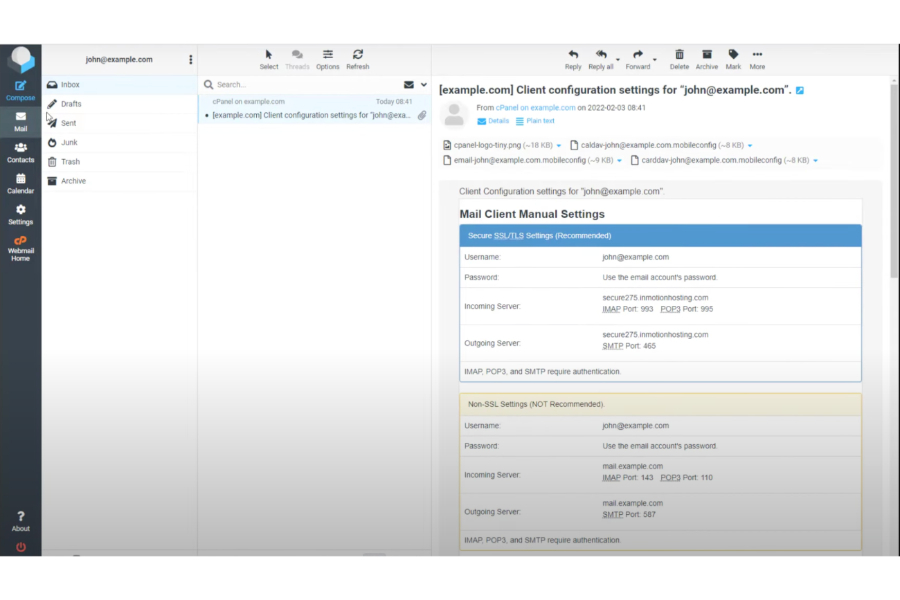
InMotion offers email hosting with faster-than-average data processing. (Source: InMotion Hosting)
Pricing
Bluehost: Best for a smart and auto-responsive business email platform

Pros
- Smart email platform with auto-reply, send later, and read receipts
- Good security: data encryption, antivirus, and anti-spam on all emails
- Easy migration process for old emails and contacts
Cons
- Doesn’t provide a free domain
- No spreadsheets, documents, or other productivity tools
My expert opinion
Bluehost is best known as a website host, but it also has a decent business email platform with calendars, contacts, and templates. It also has anti-spam and data encryption for security. But what makes Bluehost’s email noteworthy are its auto-responders, follow-up reminders, undo sends, and even a “send as alias” feature that make it a smarter, more efficient email platform.
Even if it doesn’t provide documents, spreadsheets, or presentations, the email platform itself is efficient and productivity-boosting. The read receipts are especially helpful for cold emailing prospects.
However, these are all only available on the Professional Email Plus plan. There is a regular Professional Email plan that costs less, but it doesn’t have any of those smart features, only a regular email platform with calendar and storage.
And if that’s what you’re after, opt for a more secure platform like Google Workspace or Proton Mail instead. It’s Email Plus’s smart features that really make Bluehost one of the best email providers for businesses, and one of the best email hosts overall.
Keep in mind that you’ll need to have your own domain first, as Bluehost’s email plans don’t include a free domain. If you don’t have a domain, you can purchase one from Bluehost at a separate cost (or from another domain registrar).
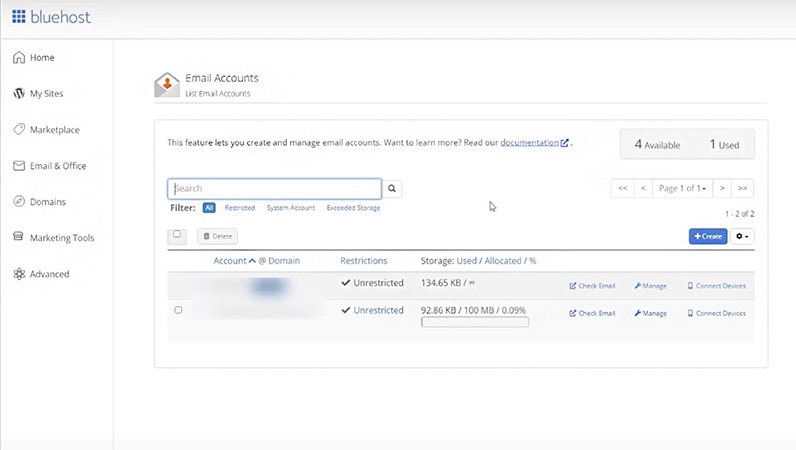
Bluehost provides email auto-responders and other email features. (Source: Bluehost)
Pricing
How I evaluated the best business email providers
All businesses need email that can be accessed quickly, securely, and reliably, with enough storage to keep messages from bouncing. However, solopreneurs may only need a single email address, while growing companies need scalable solutions. For these reasons, I looked at options that can serve anyone, from sole proprietors to businesses with multiple employees, agencies, and resellers.
25% of Overall Score
Your business email needn’t take up a significant amount of your budget. However, email providers have different pricing plans. Therefore, I looked specifically for platforms that offered both standalone and scalable plans as well as all-in-one cost-saving bundles.
20% of Overall Score
General features speak not only to the essentials that business email users need (like adequate storage, multiuser plans, and data, spam, and virus protection) but also to the overall product value vs cost.
20% of Overall Score
Niche features include built-in AI writers, end-to-end encryption, HIPAA and GDPR compliance, private domain registration, and built-in communication tools for chat or video (and any other software that comes with the plan).
10% of Overall Score
The platforms above were also rated by the quantity and quality of the available self-help resources and the level of customer support to help with setup, troubleshooting, and account management. Platforms with longer customer service hours were also graded higher.
25% of Overall Score
Regardless of how a provider scores on paper, how it works in the real world is a key factor. I personally tested each of these providers and evaluated them based on their features, usability, and value for money.
*Percentages of overall score
6 considerations when choosing a business email provider
With dozens of business email platforms available, you’ll need to choose carefully to find the absolute best fit for your business. This includes considering variables like your business’s specific needs and priorities.
For example, do you already own a domain and just need an email platform, or do you still need to purchase one? This will significantly narrow down your options. Here are other important things to consider when choosing your business email host.
- Your priorities: Do you prioritize security, ease of use, or affordability? Each provider specializes in its own features and benefits. For example, Google Workspace is heralded for its Google Workspace suite that makes file creation and team collaboration easy.
- Productivity or advanced email features: The best business email providers can also provide features like productivity and team collaboration tools that can help your business substantially. Take note of any other features you may need to run your business.
- Scalability: As your business grows, will your email provider accommodate the additional accounts, storage, and features your team will need? What about future plans? For instance, you may not need a website now, but you may in the future, and hosting it on the same provider as your email will be more convenient.
- Cost: No small business marketing budget is the same. Aside from evaluating whether your email host fits in your budget, consider whether you’re getting enough features and benefits out of your plan and if your provider’s pricing scheme is sustainable.
- Storage: How many emails will you be sending or receiving, and how many files do you need to store in the cloud? Keep in mind that not all business email platforms let you add more storage without upgrading your plan, potentially costing you more.
- Security measures: Almost all business email providers have antivirus and anti-spam protection measures, but not all have data encryption, GDPR and HIPAA compliance, and anti-phishing.
Frequently asked questions (FAQs)
Do I need a domain for business email?
Yes. A custom domain is a hallmark of a business email address. Usually, your domain is also the name of your business (for example, [email protected]). A custom domain signals your professionalism and credibility as a business more than a generic one like “@gmail.com,” and helps promote your business to recipients. Most business email platforms, like Google Workspace and IONOS, already provide a domain in their business email plans, but some require you to have a domain first, like Proton Mail and Zoho Mail.
Which business email provider offers the most storage?
So far, Google Workspace offers the most email storage: 2TB on the Business Standard plan and 5TB on the Business Plus plan. Its Business Starter plan also offers 30GB of storage for each email account. Proton Mail, meanwhile, has up to 1TB of storage on the Proton Duo plan. IONOS, Zoho Mail, and Bluehost all have up to 50GB of mail storage.
What is the best email provider for a business?
The overall best business email provider is Google Workspace in terms of productivity tools, usability, storage, and security. Some other good business email providers are IONOS and Hostinger if you don’t have a domain yet. If you already have a domain, Proton Mail and Zoho Mail are also good, secure options.
Bottom line
Getting a business email address is like taking the next step into making your business professional, legitimate, and customer-ready. The platforms above have all been tested and verified as the best business email providers for small businesses, providing a secure platform for your emails and files, a place to manage and collaborate with your team, and extra productivity tools like documents, spreadsheets, or auto-replies.